


8 Pros and Cons of the Stylus Pen for Mobile
Scrolling through your smartphone is a great way to pass the time. But you can take your mobile phone experience to the next level when you use a stylus pen. In this article, we’ll tell you everything you need to know about stylus pens, including the pros and cons of using a stylus pen for mobile.
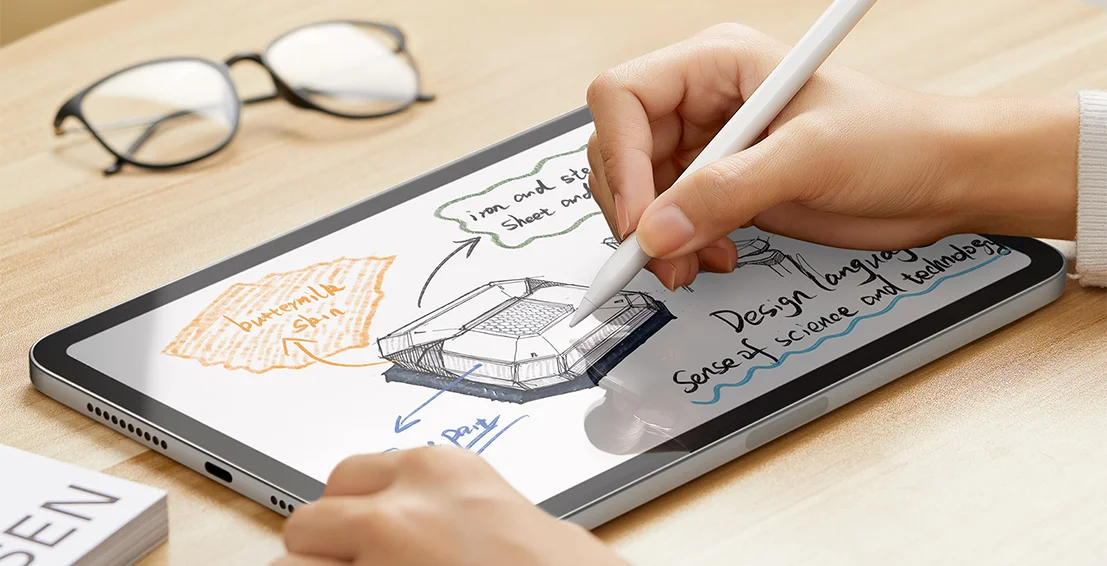
Your smartphone is a boredom buster. Whether you’re waiting for the doctor or an oil change, you can pass the time by scrolling through your social media feed. But while it may be impossible to reach the end of the internet, there are only so many funny cat videos.
A stylus pen for your mobile can open endless entertainment possibilities. You can draw a masterpiece, use a coloring app, or get ahead of the curve by reviewing work documents—whether for artistic purposes, signing documents, or professional editing. Using a stylus pen can significantly enhance the drawing experience on your device's screen, allowing for more accurate lines and strokes compared to using fingers. The control offered by a stylus pen is especially valuable for tasks like drawing, editing, and handwriting, enhancing productivity and precision. A stylus can also significantly boost efficiency through advanced document workflows such as signing PDFs and annotating spreadsheets. Styluses enhance productivity by offering precise control, enabling handwritten notes, speeding up document editing, and reducing screen smudges. Plus, using a stylus helps your device's screen stay clean and free of smudges, acting as a screen cleaner and helping your touchscreen stay clean for better hygiene and display clarity. In this article, we give you the pros and cons of stylus pens for smartphones.
What Is a Stylus Pen for Mobile?
A stylus pen is a device used to interact with the touchscreen on devices such as smartphones and tablets. It is meant to replace the user’s fingertips and to provide a more versatile touchscreen experience. Almost any touchscreen will respond to the right stylus pen.
Most modern touchscreen devices use capacitive screens, which detect electrical charge from human fingertips or styluses designed to mimic these electrical properties. Capacitive touch screens utilize an electrical field, and when a stylus or finger makes contact, it disrupts this field, enabling touch recognition.
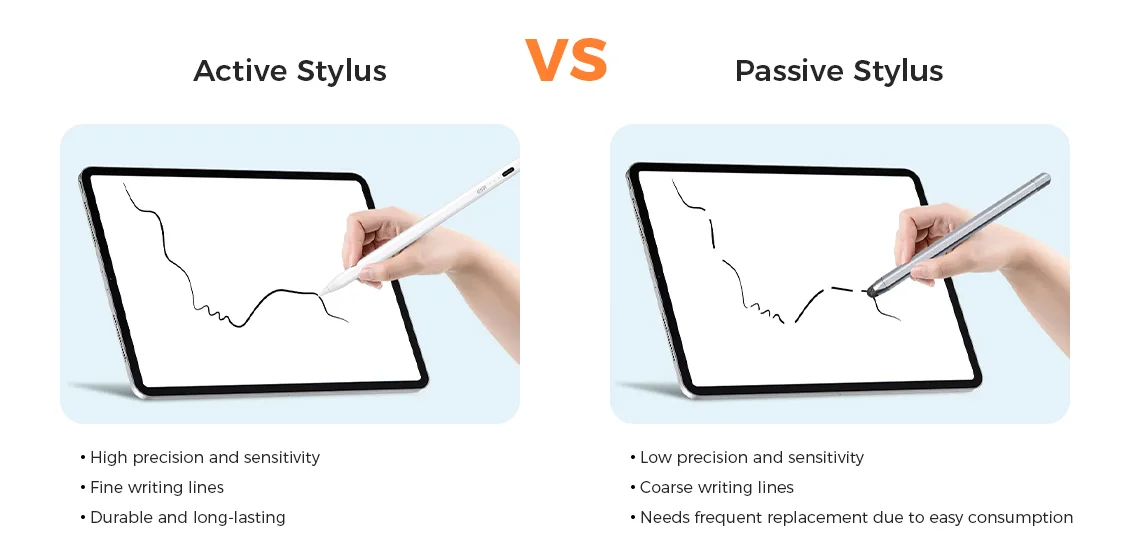
However, some touchscreens are also compatible with active stylus pens. Active styluses have built-in electronics and generate their own electrical charge, offering enhanced features like pressure sensitivity, precision, and palm rejection. These features make active styluses especially suitable for artistic work, note-taking, and device-specific uses, particularly on tablets.
Styluses are also valuable for note-taking, as they enable handwriting recognition and digitalization, allowing handwritten notes or sketches to be converted into digital text.
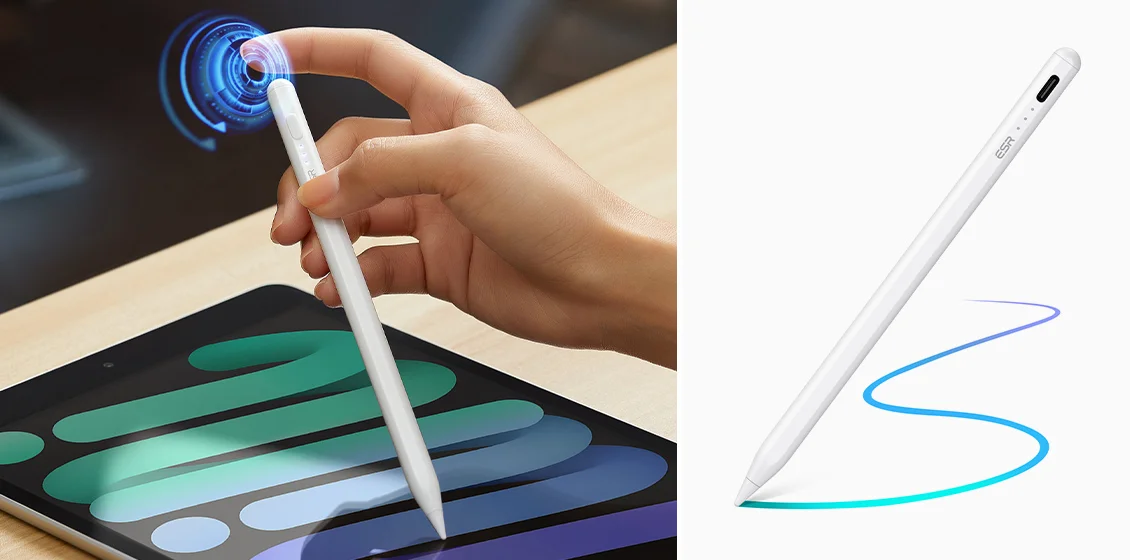
What Stylus Pen Is Best for My Device?
You can determine what stylus pen is best for your device when you figure out what type of touchscreen your smartphone has. There are two kinds of touchscreens, resistive touch screens and capacitive screens, and they differ in how they detect input on the device's screen.
Resistive touch screens are made of multiple layers of material. The device "knows" where its screen is being touched when these layers are compressed together, relying on mechanical pressure to register input on the device's screen. Resistive touch screens are compatible with most stylus pens.
Capacitive screens are the most common type of touchscreens. Capacitive touch screen technology works by detecting electrical charge and changes in the electrical field when a finger or stylus makes contact with the device's screen. The screen senses disruptions in its electrical field caused by conductive objects. The human body, such as a fingertip, is an excellent conductor of electricity, which is why it works so well with capacitive touch screens. Capacitive stylus pens are made of conductive materials to interact with the device's screen by disrupting the electrical field, mimicking the effect of a fingertip.
Run-of-the-mill stylus pens won't work with a capacitive touch screen. If your device has a capacitive touch screen, you'll need a capacitive stylus pen.
Stylus input is supported on many smartphones, tablets, and some laptops. For laptops that do not have a touchscreen, graphics tablets can be used as an alternative input method for stylus functionality.
Use these "tests" to determine whether your touchscreen is resistive or capacitive.
➔ If you can use two fingers to zoom in and out, then your screen is capacitive.
➔ If you can use your touchscreen while wearing standard gloves, then your touchscreen is resistive.
What Is the Difference Between “Passive” and “Active” Stylus Pens?
Aside from choosing a stylus pen that is compatible with your touchscreen, you can also choose between a variety of stylus options, including "passive" and "active" stylus pens, each suited for different devices and user needs.
A passive stylus pen simply takes the place of your fingertip. It's about as technical as a wooden pencil.
Active styluses, on the other hand, have built-in electronics that generate their own electrical charge, enabling advanced features and enhanced functionality. Many active styluses feature a fine tip, providing greater precision and control for tasks like drawing, note-taking, and detailed editing. These styluses offer significant advantages for artistic purposes and note-taking, thanks to their precision and pressure sensitivity. Common features include:
● Palm rejection that allows you to rest your palm on the screen.
● Pressure-sensitive tips that respond to the pressure applied, allowing for varied line thickness and expressive, nuanced artwork—mimicking traditional drawing tools and enhancing handwriting and calligraphy.
● Tilt sensitivity for artistic renderings.
● And more.
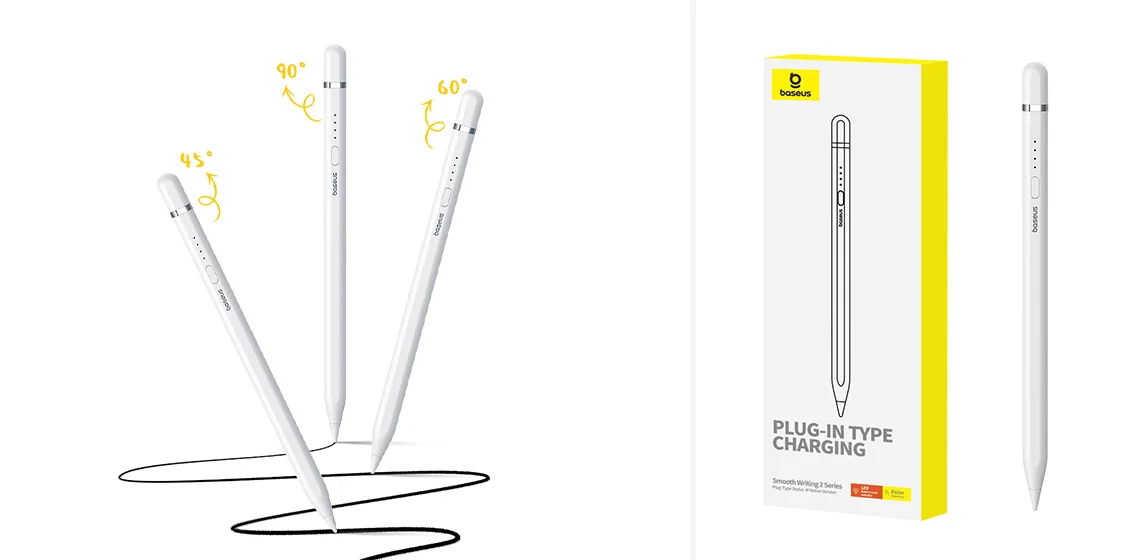
Active stylus pens communicate using one of five “languages.” The compatibility of a stylus pen to a particular smartphone will depend on whether they use the same language. That’s why some active stylus work for iPhones while other stylus pens work with Samsung and so on.
Understanding Digital Pen Technology
Digital pen technology has transformed the way we interact with our touchscreen devices, making tasks like drawing, note-taking, and document editing more intuitive and precise. At the core of this innovation is the stylus pen, which leverages the electrical properties of the human body to communicate with capacitive touch screens. Unlike using bare fingers, a stylus pen offers greater accuracy and control, especially when working on creative tasks or handling detailed documents.
Many stylus pens now come equipped with advanced features such as pressure sensitivity, allowing users to vary line thickness and shading in digital art or handwritten notes, closely mimicking the feel of pen on paper. Tilt recognition is another valuable feature, enabling artists and professionals to create dynamic strokes and effects by simply adjusting the angle of the pen. For those who spend long hours on creative or productivity tasks, palm rejection technology ensures that only the stylus input is registered, so you can rest your hand comfortably on the device's screen without unwanted marks.
Programmable buttons on some digital pens add another layer of convenience, letting users quickly switch tools or functions within their favorite apps. When selecting the right stylus pen, it's important to consider compatibility with your device, battery life for uninterrupted use, and any additional features that match your workflow. Whether you're looking to create digital art, jot down handwritten notes, or boost productivity, the right stylus pen can become an essential tool for maximizing your touchscreen experience.
As with any purchase, it’s always best to weigh the pros and cons before buying a stylus pen.
Pros of Using a Stylus
- 1. Maybe you've gotten by just fine without a stylus pen till now. But there are many pros to using a stylus pen. In fact, many people prefer using a stylus pen over their fingers for the added precision and control offered, especially when interacting with touchscreen devices.
2. A stylus pen is more precise than a finger, thanks to its fine tip, which enables greater precision and accuracy for tasks like editing documents or drawing. The control offered by a stylus pen allows for meticulous, detailed work, making it ideal for artists, designers, and professionals. The tactile experience of using a stylus makes digital writing and drawing feel more natural and enjoyable, closely mimicking the sensation of traditional pen and paper.
3. Taking notes and writing with a stylus pen enables handwriting recognition and digitalization, allowing your handwritten notes or sketches to be converted into digital text. Studies show that handwriting information by hand can improve memory retention and cognitive engagement compared to typing. Using a stylus pen can significantly improve the accuracy and precision of your handwriting, making it easier to create clear and legible notes, to-do lists, or even sign digital documents.
4. Your touchscreen will remain clean and clear when you use a stylus. You’ll have no more greasy fingerprints or unsightly nail scratches on your screen.
5. Using a stylus pen can significantly enhance your ability to multitask on your touchscreen device by providing added precision and control, making it easier to switch between apps and select specific items or text. Navigating through documents, spreadsheets, or presentations is much more efficient with a stylus pen, allowing for effortless scrolling, zooming, and precise edits. A stylus pen can also improve typing speed and accuracy on touchscreen devices, especially when used with swype-style keyboards, reducing the frustration of autocorrect errors.
6. Stylus pens often feature pressure sensitivity, allowing users to create varied line thickness based on the pressure applied, which enhances precision in drawing and writing. This is especially beneficial for digital artists and calligraphers.
7. Using a stylus can improve ergonomics by reducing finger and wrist strain during long sessions. Tablets, in particular, benefit from stylus input for note-taking, drawing, and precise input, making them versatile tools for students, professionals, and creatives alike.
Cons of Using a Stylus
- Stylus pens are great accessories for your smartphone. But there are some cons to using a stylus pen.
2. Stylus pens can be easily lost if you don’t have a holder that attaches to your phone.
3. You can’t rest your palm on your touchscreen while using a passive stylus pen, which might make for an awkward experience.
4. It may be difficult to find an active stylus compatible with your smartphone.
Stylus Pen Maintenance: Tips for Longevity
To get the most out of your stylus pen and ensure it delivers precise stylus input on your touchscreen devices for years to come, regular maintenance is essential. Start by cleaning the stylus tip frequently—dirt, oils, and debris can build up and affect both accuracy and the overall touchscreen experience. Use a soft, lint-free cloth slightly dampened with a mild soap solution to gently wipe the tip, avoiding direct contact with harsh chemicals that could damage the pen.
When not in use, always store your stylus pen in a protective case or pouch. This simple step helps prevent scratches, accidental drops, and exposure to dust, all of which can impact the pen's performance. For stylus pens with rechargeable batteries, be mindful not to overcharge; unplug the pen once it's fully charged to preserve battery life and maintain consistent performance.
Handle your stylus with care, avoiding unnecessary pressure or dropping it onto hard surfaces. Additionally, keep your device's software up to date, as manufacturers often release updates that improve stylus compatibility and accuracy. By following these essential maintenance tips, you'll extend the life of your stylus pen, ensuring it remains a reliable tool for precise input, creative work, and everyday productivity on all your touchscreen devices.
Find the Perfect Stylus Pen at TVCMALL
Whether you have a resistive or capacitive touchscreen, we have active and passive stylus pens, along with a wide variety of stylus options for different devices and user needs. You'll THRIVE when you find your Zen coloring and drawing with a stylus pen from TVCMALL. For users with non-touchscreen laptops or desktops, graphics tablets are a great alternative for precise stylus input and digital art. Find your stylus pen today.
Leave a Comment
Your email address will not be published. Required fields are marked *

Stay Current with TVCMALL Wholesale
Subscribe for free to our blog and get expert advice, industry insights, and top wholesale picks. Boost your sales with TVCMALL today!