

How to Order on TVCMALL: A Practical Guide for Wholesale Buyers
Learn how to order on TVCMALL more efficiently, from product search and checkout preparation to order processing, delivery, and after-sales support. This guide helps wholesale buyers understand the key points before, during, and after placing an order.
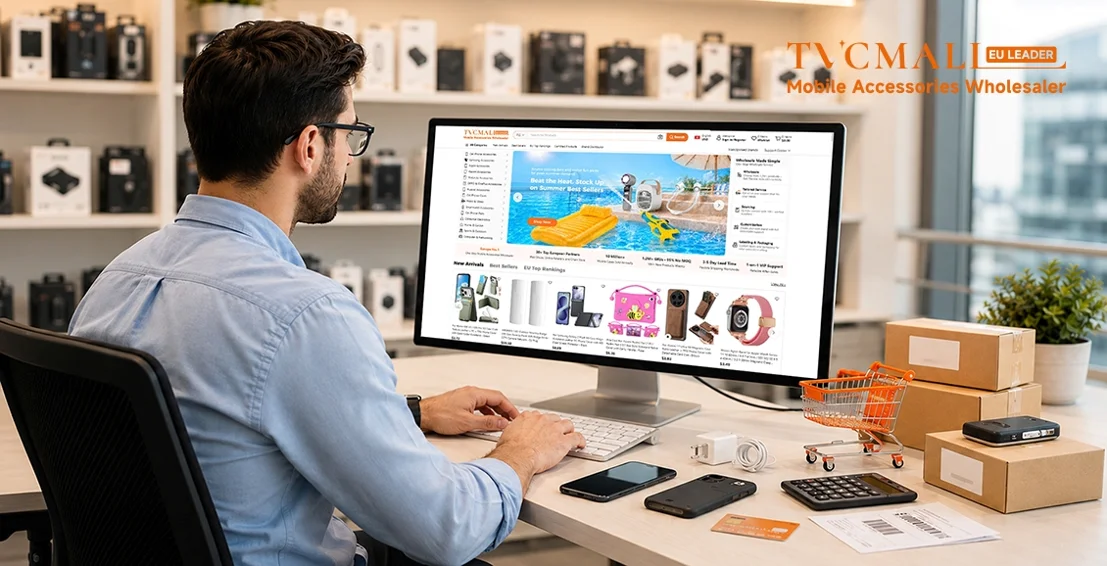
Whether you are new to TVCMALL or already familiar with the platform, understanding the full ordering process can help you source products more efficiently and avoid unnecessary delays.
In this guide, we'll walk you through the key things to know before, during, and after placing an order on TVCMALL. You can also watch the video below for a step-by-step ordering walk through.
What Should Buyers Know Before Ordering on TVCMALL?
Ordering on TVCMALL involves more than selecting products and making payment. From product sourcing and cart review to checkout, order processing, stock preparation, shipment, and after-sales support, each step is designed to help wholesale buyers complete their purchases more clearly and efficiently.
Watch the video below for a step-by-step walkthrough of how to order on TVCMALL:
In the following sections, we'll highlight the key points that can help you find products faster, avoid common order issues, and better understand what happens after your order is placed.
How to Find the Right Products Faster
TVCMALL offers multiple ways to help buyers find suitable products. The best method depends on what you already know about the products you want to source.
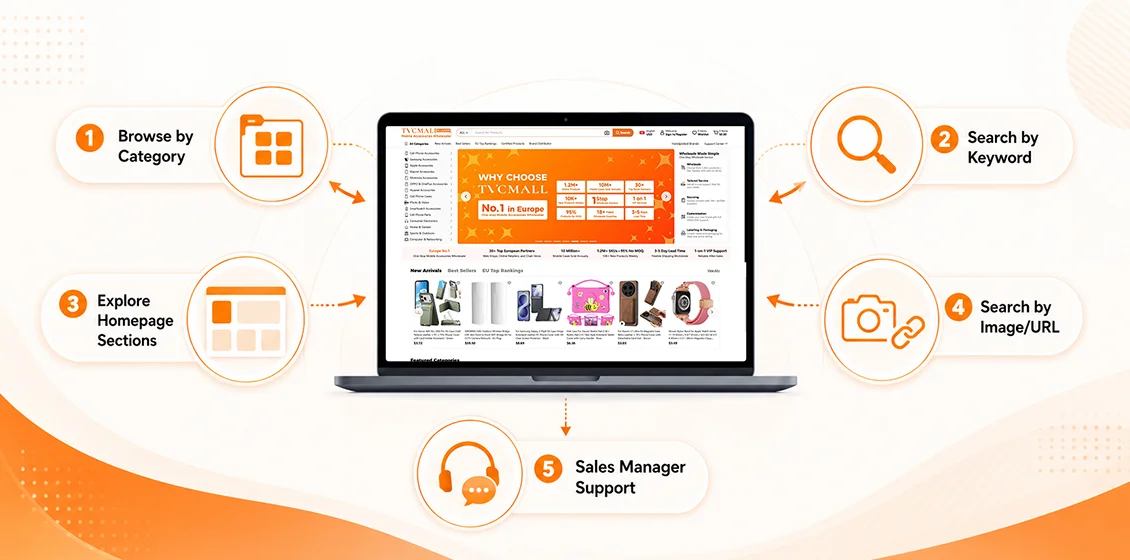
1. Browse by Category
If you already have a clear product category in mind, you can browse products from the navigation bar. This is useful when you are looking for phone cases, screen protectors, chargers, cables, consumer electronics, or other wholesale items.
You can enter a main category first, then narrow down your search by subcategory, price, brand, model, and other filters.
2. Search by Keyword
If you have a specific product, model, brand, or SKU in mind, keyword search is usually the fastest way to find related products. For example, you can search by phone model, product type, brand name, or a specific SKU to quickly locate matching items.
3. Explore Homepage Sections
If you want to discover new products, popular items, or market-driven selections, the homepage sections can be helpful.
You can check New Arrivals for the latest products, Best Sellers for popular items, EU Top Rankings for products performing well in the European market, Certified Products for items with certifications such as CE, RoHS, and FCC, and Brand Distributor for branded products from TVCMALL's quality suppliers and brand partners.
4. Use Search by Image/URL
If you already have a product image or link, you can use Search by Image to find the same or similar products. This is especially useful when you do not know the exact product name or SKU but already have a reference image or URL.
5. Contact Your Sales Manager for Sourcing Support
If you cannot find the product you need on the website, you can contact your dedicated sales manager for sourcing support. TVCMALL can help you look for suitable products through online and offline supply chain resources.
What to Check Before Placing an Order
Before placing an order, it is important to confirm the product details carefully. This can help reduce order mistakes and make the follow-up process smoother.
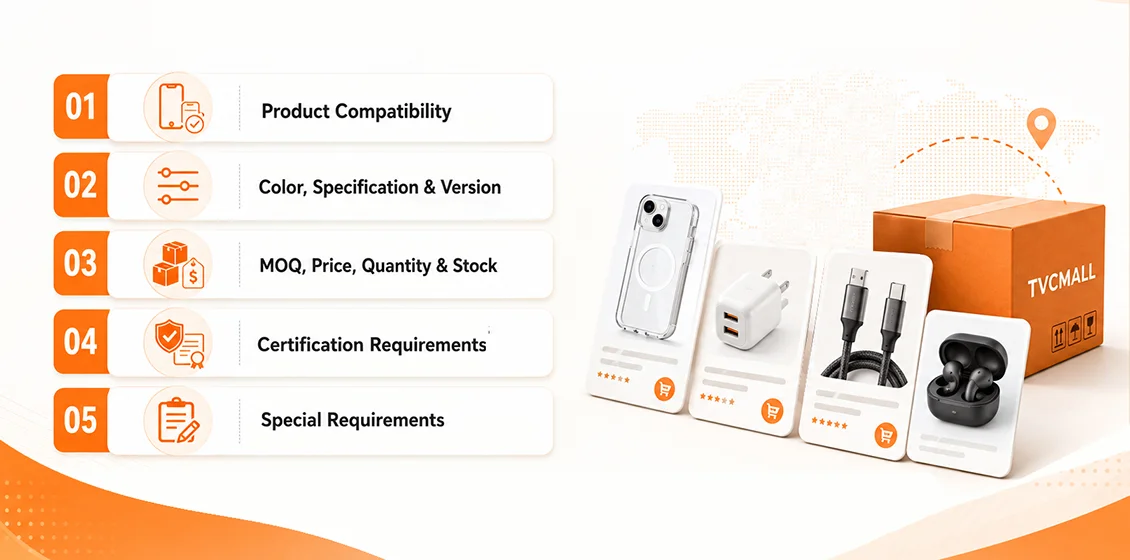
1. Product Compatibility
Check whether the product is compatible with your target model or use case. This is especially important for phone cases, screen protectors, camera lens protectors, watch bands, and other model-specific accessories. Similar product names do not always mean the products are compatible with the same device.
2. Color, Specification, and Version
Confirm the color, specification, version, interface, size, or other available options before adding the product to your cart. For products with multiple options, selecting the right variation helps ensure the product meets your purchasing needs.
3. MOQ, Price, Quantity, and Stock
Review the MOQ, unit price, purchase quantity, and stock information before checkout. Many products on TVCMALL support flexible purchasing. Before submitting your order, simply confirm the quantity and price to make sure everything matches your needs.
4. Certification Requirements
If you sell in specific markets or on certain platforms, product certifications may be important. For requirements such as CE, RoHS, FCC, or other compliance documents, check the product information or contact your sales manager before placing the order.
5. Special Requirements
If you have requirements related to packaging, labels, barcodes, customs declaration, logistics, invoices, or customization, confirm them in advance or leave clear remarks when submitting the order. The more clearly you confirm your requirements before placing the order, the easier it will be for the TVCMALL team to process your order efficiently.
Final Checklist Before Checkout
Before submitting your order, use the shopping cart and checkout page as the final review step. This is where you can confirm the key details and make sure your purchasing requirements are complete.
● Review the product list, quantities, prices, selected models, colors, and total order amount.
● For multi-SKU orders, check each item carefully to avoid missing products or selecting the wrong options.
● Apply any available coupon before checkout. You can check available coupons in My Account > My Coupons or visit Get Coupon for more offers.
● Use Add Remarks to the Order to leave clear instructions for packaging, labels, logistics preferences, customs declaration notes, invoices, or other service requests.
● Confirm that your shipping address is complete and accurate.
● Select a suitable shipping method based on your destination country, order weight, delivery timeline, and budget.
● Choose your preferred payment method and complete any required customs declaration information.
A careful final check before checkout can help reduce follow-up communication and make the order process smoother.
What Happens After You Place an Order
After your order is submitted, it enters TVCMALL's order processing workflow. Here is what usually happens next:
1. Order Review
The TVCMALL team will first review your order details, including product information, quantities, payment status, shipping address, order remarks, and any special service requirements.
2. Product Preparation
Once the order is confirmed, product preparation will begin. For regular orders, preparation usually takes around 3–5 days. For larger orders or customized requests, the exact timeline may vary depending on the actual order details.
3. Warehouse Sorting and Matching
After the products arrive at the warehouse, the warehouse team will sort the items and match them with your order to make sure everything is prepared correctly.
4. Quality Check
Necessary quality checks will be carried out before shipment to ensure the products are ready to be packed and delivered.
If your order includes label services, barcode requirements, packaging upgrades, or other value-added services, the TVCMALL team will process them according to your order remarks or confirmed requirements.
6. Packing and Shipment
Once everything is ready, your order will be packed and shipped. After shipment, tracking information will be updated so you can follow the delivery status.
In short, after you place an order, it goes through a complete process including order review, product preparation, warehouse handling, quality checks, value-added service processing, packing, and logistics arrangement.
Practical Tips for Ordering on TVCMALL
To make your ordering process smoother and more efficient, here are a few practical tips:
1. Use the Right Search Method Based on Your Needs
If you already have a clear target, use SKU, phone model, product keyword, or image search to find products faster. If you are still exploring options, browse categories or homepage sections for more product ideas.
2. Prepare Your SKU List Before Bulk Ordering
For multi-SKU or repeat orders, organize your product list, quantities, and requirements in advance. This makes cart review easier and helps improve ordering efficiency.
3. Make Good Use of Order Remarks
If your order involves packaging, labels, logistics preferences, customs declaration, invoices, or customization, leave clear notes in the order remarks. This helps the TVCMALL team understand your needs earlier and process the order more smoothly.
4. Use Bulk Buy for Repeat Purchases or Large Orders
If you already have a clear SKU list, Bulk Buy can help you add multiple products quickly. It is especially useful for restocking, repeat purchases, and large-volume orders.
5. Contact Your Sales Manager When Needed
If you cannot find a product on the website, or if you need help with sourcing, product matching, certifications, or special order requirements, your dedicated sales manager can provide further support.
Stay Updated with New TVCMALL Features
TVCMALL listens closely to customer needs and keeps making sourcing easier. From product search and batch ordering to order management, logistics, and customer support, we may introduce new features and updates to help buyers work faster and more efficiently.
Whether you are placing your first order or managing regular purchases, staying updated can help you enjoy a smoother sourcing experience with TVCMALL.
Follow TVCMALL Updates to learn about the latest features, service improvements, and useful sourcing tips.
Start Sourcing with TVCMALL
A smoother ordering process is only the beginning of a better sourcing experience.
With TVCMALL, wholesale buyers can find products more efficiently, manage order details more clearly, and move from product selection to delivery with greater confidence.
Whether you are expanding your product range, restocking regular items, or looking for more flexible sourcing support, TVCMALL is here to help make wholesale purchasing easier, faster, and more reliable.
Start your next sourcing journey with TVCMALL today.
Leave a Comment
Your email address will not be published. Required fields are marked *


Stay Current with TVCMALL Wholesale
Subscribe for free to our blog and get expert advice, industry insights, and top wholesale picks. Boost your sales with TVCMALL today!